
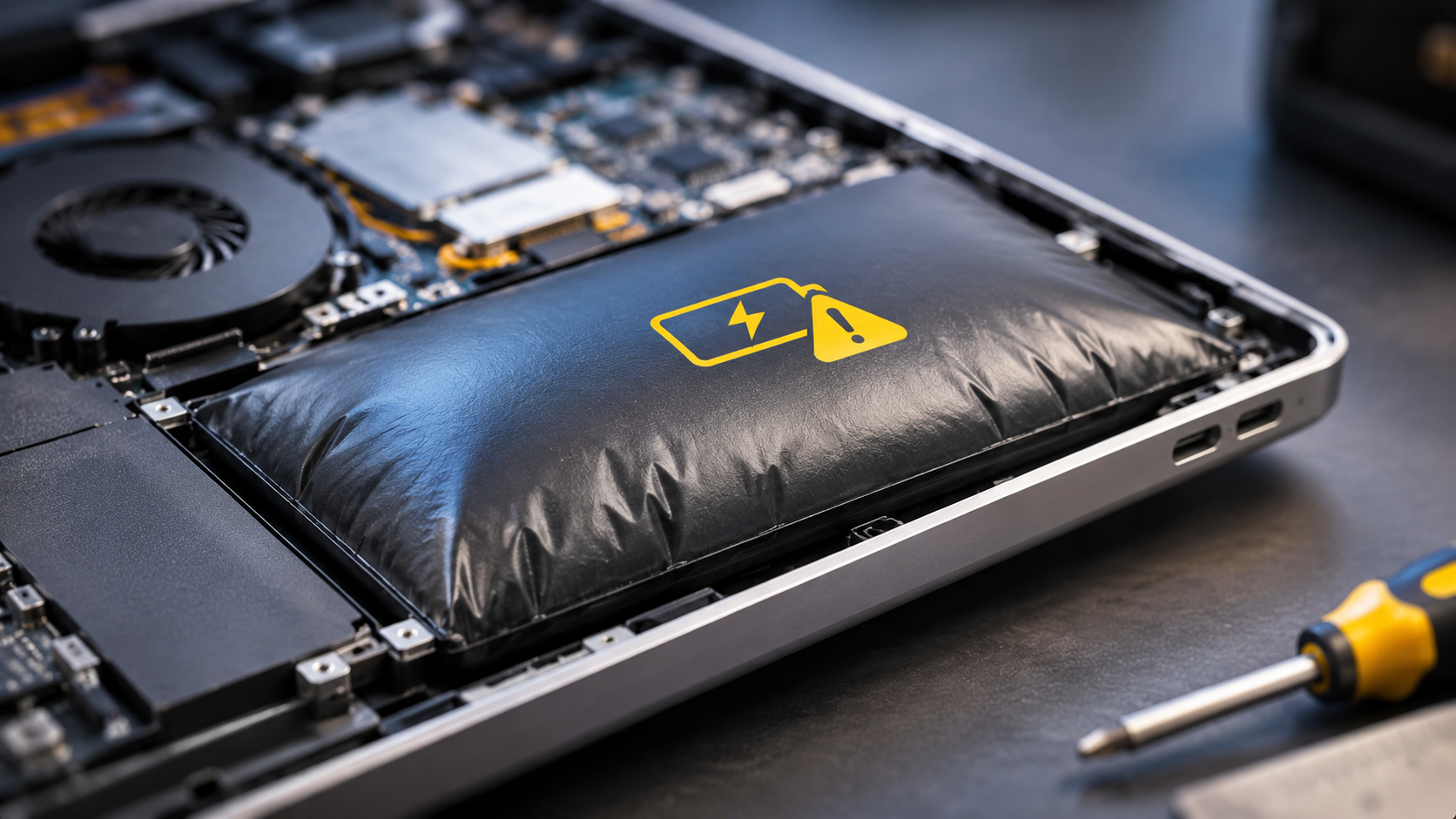
A laptop battery can show warning signs before it stops working. You might notice a case that no longer sits flat, a raised touchpad, or a charge that disappears unusually quickly. Recognising the signs of a swollen laptop battery helps you respond safely and avoid further damage. This EZLaptopRepair guide explains what to look for, why batteries fail, and when to seek professional help.
Signs of a Swollen Laptop Battery
Laptop batteries can swell when gas builds up inside their cells. As the battery expands, it may push against the laptop’s casing and nearby components.
A Bulging Case or Bottom Panel
A raised bottom panel, lifted seam, or distorted laptop base may indicate battery swelling. Do not push the panel back into place.
A Raised Touchpad or Keyboard
A touchpad that sits higher than usual, feels stiff, or clicks differently can be a warning sign. Swelling may also affect the keyboard.
Gaps Along the Casing
New gaps between panels or a casing that no longer fits together properly may indicate internal pressure.
A Laptop That Wobbles
If your laptop rocks on a flat surface when it previously sat evenly, check for visible changes without pressing or bending the device.
These symptoms can have other causes, so a technician should confirm the problem. If you suspect swelling, stop using and charging the laptop.
| CTA SECTION: Notice these warning signs? Stop using and charging your laptop if you suspect battery swelling. Contact EZLaptopRepair to discuss a professional inspection.Call us now |
Signs of a Failing Laptop Battery
Not every failing battery swells. Other warning signs can affect everyday performance:
- Rapid battery drain: The charge drops much faster than usual.
- Unexpected shutdowns: The laptop turns off despite showing remaining battery power.
- Charging problems: The battery stops charging fully or the percentage fluctuates.
- Power only when plugged in: The laptop shuts down when disconnected from its charger.
- Battery health warnings: Your operating system reports reduced battery capacity or recommends service.
These symptoms do not always mean the battery is faulty. A damaged charger, software issue, or another hardware problem can produce similar behaviour.
What Causes a Laptop Battery to Swell or Fail?
Several factors can contribute to battery deterioration:
- Age and normal wear: Rechargeable batteries gradually lose capacity over time.
- Excessive heat: High temperatures can accelerate battery wear and increase the risk of damage.
- Charging faults: A faulty charger or charging circuit may contribute to power problems.
- Physical damage: Drops, crushing, or internal cell defects can damage a battery.
Although good battery care may reduce wear, it cannot prevent every battery failure.
What to Do If Your Laptop Battery Is Swollen
A swollen battery can be a safety hazard. Follow these precautions:
- Stop using and charging it. Shut down and unplug the laptop if you can do so safely.
- Do not handle the battery unnecessarily. Never press, puncture, bend, or attempt to remove it yourself.
- Avoid heat and flammable materials. Keep the device away from direct sunlight and combustible items where practical. Do not carry it in a bag.
- Arrange safe handling. Contact a qualified repair professional for guidance. Follow local battery recycling instructions, and never place a damaged or swollen battery in household trash.
If the laptop is smoking, burning, hissing, or showing signs of an immediate fire hazard, move away and contact emergency services. Do not handle or transport the device if doing so could put you at risk.
When Should You Replace a Laptop Battery?
Consider a battery inspection when its runtime becomes inconvenient, it repeatedly shuts down unexpectedly, or it no longer holds a useful charge. A technician can help determine whether the battery, charger, or another component is responsible.
If you’re in Las Vegas, choose a repair provider that checks the battery, charger, and related components before recommending replacement. You can explore EZLaptopRepair’s laptop repair services to learn more about professional repair options.
A visibly swollen battery needs prompt attention regardless of how long it still holds a charge. Do not continue using it while waiting for an appointment.
| CTA SECTION: Need Help With Battery Problems? Contact EZLaptopRepair to discuss your symptoms and arrange an inspection. Get a Free Diagnosis |
How to Help Prevent Future Battery Problems
These habits can help reduce unnecessary battery wear:
- Keep your laptop on a hard, flat surface and its vents clear.
- Avoid leaving the device in a hot car or direct sunlight.
- Use the manufacturer’s charger or a compatible, reputable alternative.
- Follow your laptop manufacturer’s battery-care recommendations.
- Check periodically for unusual case gaps, bulging, or charging changes.
No maintenance routine can guarantee that a battery will never fail, so take physical changes seriously.
Conclusion
A bulging case, raised touchpad, widening seams, or a laptop that no longer sits flat may signal battery swelling. Stop using and charging the device if swelling is suspected, and seek qualified assistance. Rapid battery drain and unexpected shutdowns also deserve attention, although they can have several causes.
Frequently Asked Questions
1. What are the first signs of a swollen laptop battery?
A bulging case, raised touchpad, widening seams, or a laptop that rocks on a flat surface may indicate swelling.
2. Can I use my laptop with a swollen battery?
No. Stop using and charging it, avoid handling the battery, and seek qualified assistance promptly.
3. Why is my laptop battery draining so quickly?
Battery age, heat, demanding applications, or charging faults may cause rapid drain. A diagnosis can help identify the cause.
4. Can a swollen laptop battery be repaired?
A swollen battery should not be repaired or reused. It needs safe handling and appropriate replacement by a qualified professional.
5. When should I replace my laptop battery?
Consider replacement when battery life becomes unreliable, shutdowns recur, or a technician confirms battery failure. Swelling requires prompt attention.
