
Your MacBook Pro 16 inch isn’t just another laptop. Whether you’re editing 4K videos, developing software, managing large spreadsheets, or designing graphics, its Liquid Retina XDR display is one of the most advanced laptop screens Apple has ever built.
With a 3072 × 1920 resolution, ProMotion 120Hz refresh rate, and over 10,000 mini-LEDs on newer Apple Silicon models, the display delivers exceptional brightness, color accuracy, and contrast. The same technology that makes it impressive also makes repairs far more specialized than older MacBook displays.
Whether you own the Intel model from 2019 or the latest Apple Silicon M3 Max, this guide covers everything you need to know about MacBook Pro 16 display repair. Let’s get going!
Can A MacBook Pro 16-Inch Screen Be Repaired?
Yes. Most damaged MacBook Pro 16-inch displays can be repaired. However, a complete display assembly replacement is usually required because the glass, LCD, mini-LED panel, camera, sensors, and display housing are integrated into a single unit.
If your MacBook still works with an external monitor, the problem is often isolated to the display assembly instead of the logic board. A professional diagnostic helps determine the exact failure before replacing costly components.
Why the MacBook Pro 16-Inch Display Is So Expensive to Repair?
Many people compare a MacBook screen to a standard laptop display. In reality, they’re entirely different products. The 2019 Intel MacBook Pro introduced a larger 16-inch Retina display. While the 2021, 2023, and newer Apple Silicon models added Liquid Retina XDR, mini-LED backlighting, and ProMotion technology. These displays include:
- Liquid Retina XDR panel
- Mini-LED backlight system
- Laminated glass
- Aluminum display housing
- FaceTime HD camera
- Ambient light sensor
- Microphone array
- Wi-Fi antenna components
- Lid angle sensor
Because these components are integrated into one display assembly, replacing only the outer glass is rarely effective. Even a single crack often requires replacing the complete display assembly to restore image quality, structural strength, and full functionality.
This integration is one of the biggest reasons MacBook Pro 16-inch screen repairs cost significantly more than repairs on conventional Windows laptops.
People Search for | Quick Answer |
Typical Repair Time | 1–3 Hours (parts in stock) |
Average Third-Party Cost | $500–$850 |
Apple Out-of-Warranty Cost | $700–$1,000+ |
AppleCare+ Screen Fee | Usually around $129 |
Most Common Problems | Cracked glass, black screen, flickering, vertical lines, Stage Light effect |
Glass-Only Repair? | Generally not recommended |
Data Safe During Repair? | Yes, if the storage and logic board are unaffected |
4 Common 16 Inch MacBook Pro Screen Issues
The 2021 and later 16 inch MacBook Pros feature a mini LED display with over 10,000 individual LEDs compared to the standard ~500 in a typical LED screen. These thousands of mini LEDs help to create an incredible contrast and 1600 nits of peak brightness. Also, when high tech technology is used, it makes the MacBook Pro 16 mini LED repair process highly specialized.
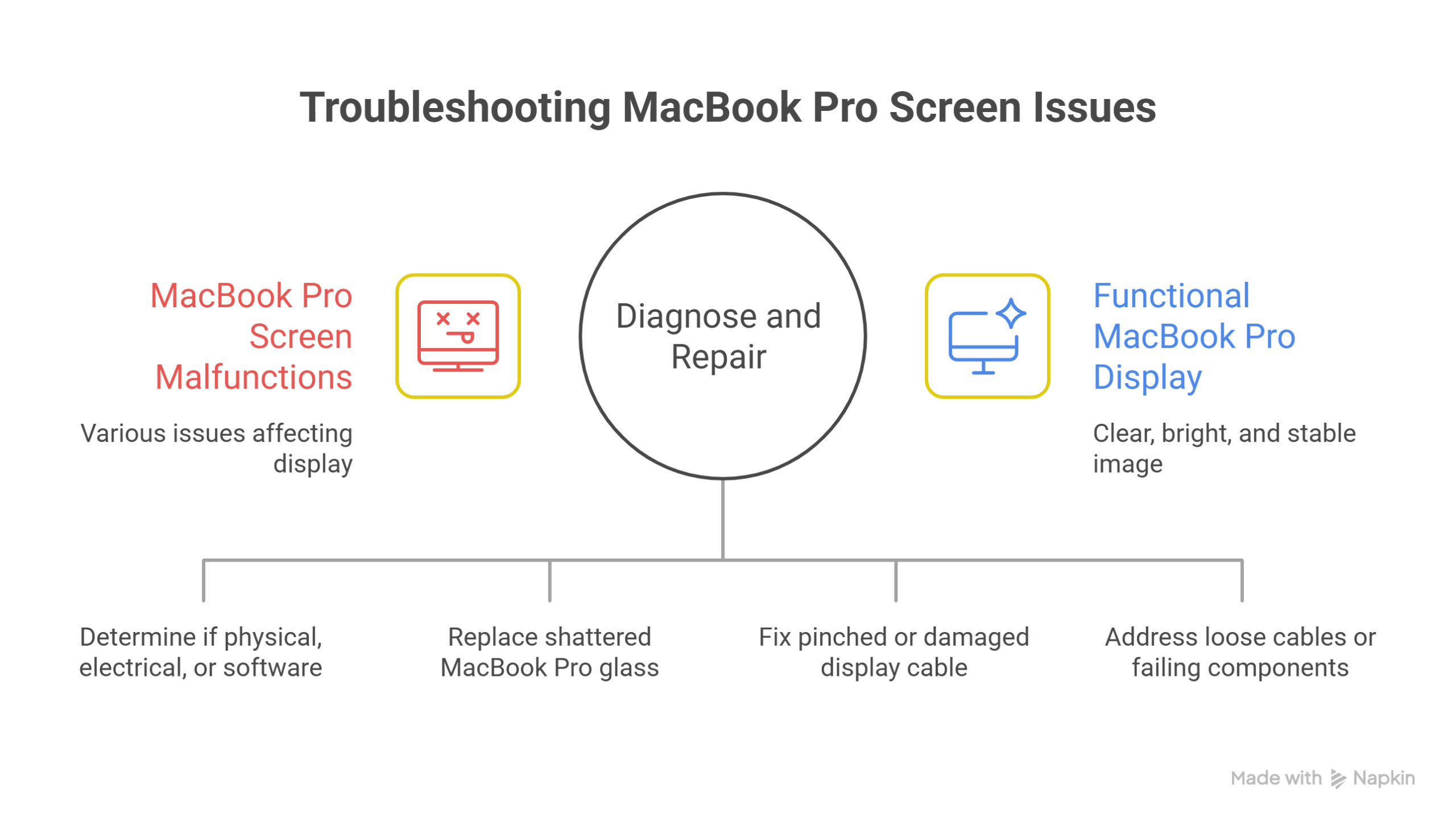
Is something wrong with the MacBook Pro screen? First, you must know which part is causing this problem. The symptoms can vary widely depending on whether the issue is physical, electrical, or software based.
1.Cracked Glass
Are you working? Have you accidentally dropped your backpack? Any heavy pressure or sudden drop will ultimately shatter the MacBook Pro glass screen. Even if the image still works, cracks compromise the device’s structural integrity. Over time, it brings you disastrous, expensive repairs for unexpected damage.
2.Stage Light Effect
If you see bright, uneven lights suddenly appearing at the bottom of your screen like stage lighting, this is one of the most common issues MacBook Pro 19 model users complain about. It occurs either due to a pinched or damaged display flex cable.
3. Random Flickering or Vertical Lines
Vertical lines on the MacBook Pro display or random flickering on screen occur due to loose cables or failing GPUs in Intel i9 models or motherboard issues.
4. The Black Screen of Death
The computer starts, the keyboard lights up, but the MacBook Pro 16 black screen of death does not fade away. This might happen due to a complete display failure or a motherboard problem.
MacBook Pro Screen Repair vs. Replacement
When searching for a MacBook Pro 16 inch cracked screen fix, you might come across “glass only” repair services. Be very cautious. Due to the laminated aluminum unibody display assembly, trying a glass only repair is extremely risky. It often results in poor adhesion, dust under the glass, or further damage to the LCD.
Reputable Apple laptop repair shops always recommend a full display assembly replacement. This is the standard to ensure the screen retains its original rigidity, water resistance, and visual fidelity.
MacBook Pro 16 Inch Screen Repair Cost in 2026
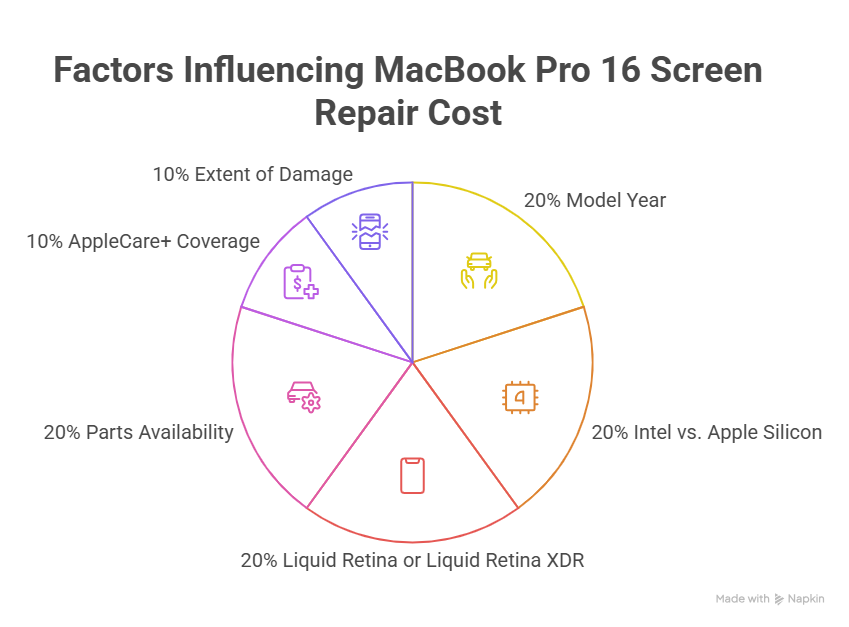
Generally, a MacBook Pro 16 screen repair cost from a third party professional falls in the range of $500 to $850, depending on the specific model year and parts availability. The exact repair cost depends on several factors, including:
- Model year
- Intel vs. Apple Silicon
- Liquid Retina or Liquid Retina XDR
- Parts availability
- AppleCare+ coverage
- Extent of damage
Here’s what most owners can expect.
Apple’s Pricing (with AppleCare+)
If your MacBook is protected by AppleCare+, screen damage is significantly less expensive. Most accidental display repairs require only the AppleCare+ service fee rather than paying for the complete display assembly.
In the US, this is around $129 for screen damage. In other regions like China, the fee is a fixed rate (e.g., RMB 799). For many owners, this is the most affordable repair option available.
Apple’s Pricing (Out of Warranty)
Without AppleCare+, Apple’s pricing increases substantially. Depending on the specific MacBook Pro 16-inch model, repairs commonly range between $700–$1,000+. The final price depends on:
- Model generation
- Region
- Parts availability
- Additional internal damage
If Apple identifies logic board damage alongside the display, costs may increase further.
Third Party Pricing
A reputable third party shop can often save you 30 to 40% compared to Apple’s out of warranty prices. However, you have choices:
- OEM Used Original: These are original Apple displays taken from donor machines. They maintain original quality but are used parts.
- Local Shop Parts: These are new displays manufactured to Apple’s specifications. Quality can vary, so ensure your repair shop offers a warranty.
The 2019 Intel 16 inch MacBook Pro uses a different display cable routing than the 2021 redesign. Because of this, the 2019 models are slightly more prone to the “Stage Light Effect” flex cable issue. While the latest models have a more robust design, they also have a much more expensive mini LED panel.
Does Screen Replacement Affect True Tone?
Many MacBook owners overlook this question until after the repair. On newer Apple Silicon MacBooks, True Tone calibration is linked to the display hardware. If the replacement display is not properly configured using professional tools, True Tone functionality may no longer be available.
Expert technicians understand these limitations and will explain what to expect before the repair begins. Knowing this in advance helps you avoid surprises after your MacBook is returned.
Can Your Data Be Lost During a Screen Repair?
This is one of the most common concerns we hear from customers. Fortunately, a standard display replacement does not erase your files. Your documents, applications, photos, and projects remain stored on the SSD, which is separate from the display assembly. However, if the MacBook has suffered:
- Significant liquid damage
- Logic board failure
- Power-related issues
A backup is always recommended before repairs begin whenever possible. Professional repair shops should discuss backup options with you during the diagnostic process instead of assuming your data is already protected.
Repair or Replace? The Decision Guide
If the repair quote is high, you might wonder if it’s time for a new machine. Ask yourself these questions. How old is your MacBook? If you have a fully loaded 2019 model and the repair is $800, it might be worth fixing, as the 2019 Intel i9 is still a powerful machine.
However, if you have a base model from 2019, the resale value of a broken unit plus the repair cost might outdo the price of a new M3 Pro. Is it the only issue? If the rest of the laptop is in pristine condition, a repair makes sense. If you’ve had multiple issues (battery, keyboard, etc.), it might be time to upgrade.
Conclusion
A damaged MacBook Pro 16 inch display doesn’t automatically mean you need a new laptop. In many cases, the problem is isolated to the display assembly, while the rest of the laptop continues to perform exactly as it should.
A professional diagnostic can determine whether the issue involves the screen, display cable, backlight, or logic board, allowing you to make the right decision before spending money on unnecessary repairs.
If your MacBook is otherwise in good condition, replacing the display is best and cost effective way to extend its lifespan and continue using the powerful hardware you’ve already invested in.