Search on this blog

Search on this blog

ez laptop repair

Boost Your Laptop's Speed With a RAM Upgrade Today

Not every laptop has upgradeable RAM. Many modern, thin and light models have memory soldered to the board. We check your model before quoting anything.

Same day Service

90 days labor guarantee

1 year parts warranty

Free Diagnosis

25

Year of Experience

Book a Free Compatibility Check

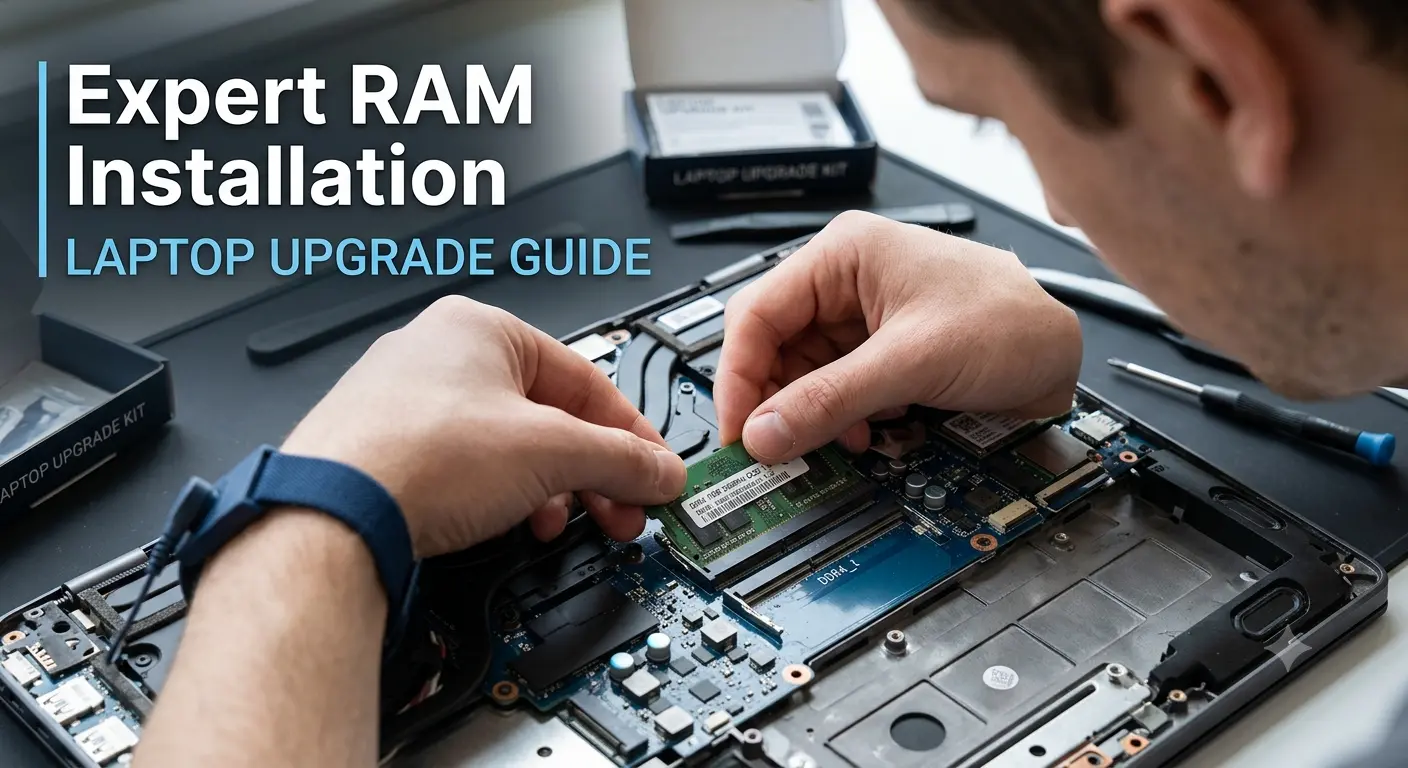
Expert RAM Installation for Gaming & Everyday Laptops

A RAM upgrade is one of the fastest, most cost effective ways to improve laptop performance. EZ Laptop Repair provides same day laptop RAM upgrades in Las Vegas for Dell, HP, Lenovo, Asus, Acer, MSI, Alienware, Samsung, Toshiba, and more. From a standard 8GB to 16GB memory upgrade on an everyday laptop to DDR5 upgrades on gaming and creator laptops, we handle all. Our CompTIA A+ certified technicians confirm RAM compatibility, install the correct SODIMM modules for your model, and test performance before return. Our RAM upgrades start from $49 in Las Vegas and beyond.

Signs You Need More RAM

Your Laptop May Need More Memory, Not Replacement

Low RAM is one of the most misdiagnosed laptop performance problems. People assume a slow laptop needs replacing when a memory upgrade resolves the issue in under an hour. Here's what low RAM actually looks like in everyday use:

Laptop Slows Down With Multiple Browser Tabs Open

Every browser tab uses RAM. Ten tabs on Chrome or Edge with a few open applications will push an 8GB laptop to its memory limit, causing the system to start using the hard drive as overflow, which is dramatically slower. A RAM upgrade to 16GB resolves it immediately.

Laptop Freezing or Lagging During Normal Use

Freezing mid-task, a cursor that lags, or applications that go unresponsive for several seconds are all symptoms of a system that's run out of available memory and is struggling to manage what's open. It's a RAM limitation that a memory upgrade can instantly fix.

Gaming Performance Drops and Stuttering

Modern games require 16GB of RAM as a baseline. Some titles now recommend 32GB. A gaming laptop with 8GB RAM will stutter, drop frames, or struggle to load assets during gameplay, regardless of how powerful the GPU is. A RAM upgrade is the first performance change a gaming laptop needs on models that shipped with 8GB to keep the entry price down.

Slow Performance After a Windows/macOS Update

Major OS updates increase background memory usage. A laptop that ran acceptably on 8GB before a Windows 11 update may struggle afterward because the updated OS uses more RAM at idle than the previous version did.

Applications Take Too Long to Open

Long load times for Office, Adobe applications, or development tools on an otherwise fast laptop usually mean the system is loading parts of the application from the drive rather than keeping them in memory. Because there isn't enough RAM to hold everything at once. More memory means more of what you use regularly stays loaded and ready.

'Not Enough Memory' or 'Low Memory' Warnings

A low memory warning from Windows or macOS is the operating system telling you directly that the device doesn't have enough RAM to function efficiently. The system is actively managing memory failures; ultimately, users complain of degraded performance.

Can Your Laptop's RAM : Be Upgraded?

Not every laptop’s RAM can be upgraded. Modern laptops, ultrabooks, and many premium models have memory soldered directly to the motherboard. On these devices, the RAM is fixed at whatever it shipped with. There is no slot to access, no module to replace.

Laptops with Soldered RAM: MacBook Air and MacBook Pro (all M-series models), Microsoft Surface Laptop, many Dell XPS 13 configurations, HP Spectre and Envy thin-and-light models, and modern ultrabooks under 14 inches.

Laptops with Upgradeable RAM: Lenovo ThinkPad (most models), Dell Inspiron and Latitude, HP EliteBook and ProBook, Asus ROG and TUF gaming laptops, MSI gaming and creator series, Alienware, Acer Aspire and Predator, and most standard laptops over 15 inches.

We check your specific model before quoting anything. If your RAM is soldered, we’ll tell you whether a storage upgrade to SSD or other performance optimization makes sense as an alternative. We never take money for a service that can’t be performed on your device.

motherboard repair or replacement we will tell you

How Our RAM Upgrade Works?

Every laptop RAM upgrade in Las Vegas at EZ Laptop Repair follows four steps. Starting with RAM compatibility, ending with verified performance boost for all laptop models.

Free Compatibility Check

We identify your laptop’s exact model, current RAM configuration, maximum supported memory, and slot availability. Then, our team confirms whether your RAM is upgradeable or not. If it is, we tell you which SODIMM spec your model needs before giving you a final price.

Right Module Sourced

Every RAM module we install is matched to your model’s exact specification. DDR generation, speed, voltage, and form factor, everything. If we don’t have the right module in stock, we confirm availability and timeframe before you commit to the upgrade.

RAM Installation

Installation is performed with proper anti static precautions. Incorrectly seated RAM causes intermittent failures that are difficult to diagnose. We confirm the module is fully seated, the clips are locked, and the slot is clean before closing the device.

Performance Test and Memory Verification

After installation, we run a memory test to confirm the new RAM is recognized correctly by the system, operating at the correct speed, and free of errors. We verify the total system memory matches the upgrade spec before returning the device. 

Why Las Vegas Users Comes to EZ for RAM Upgrades?

We’ve been upgrading laptop memory in Las Vegas since 2000 across every RAM generation from early SDRAM to current DDR5. Here’s what these years of experience mean for our customers:

Estimated 1 - 3 days

Transparent Pricing From the Start

Transparent Pricing From the Start

Every upgrade begins with a free compatibility check and a fixed quote, starting from $49. You'll know exactly what your laptop supports and what the upgrade will cost before any work begins.

Estimated 1 - 3 days

Certified Technicians

Certified Technicians

Every RAM upgrade is performed by CompTIA A+ certified technicians across business laptops, gaming systems, and ultrabooks. We verify compatibility before installation to ensure your device receives the correct memory configuration.

Estimated 1 - 3 days

Long Term Laptop Performance in Mind

Long Term Laptop Performance in Mind

We don't simply install the largest RAM module available. We recommend upgrades based on how you use your laptop. Whether that's office work, gaming, content creation, or everyday browsing.

Estimated 1 - 3 days

Same-Day Service on Most Models

Same-Day Service on Most Models

Most laptop RAM upgrades are completed the same day you bring your device to our Las Vegas shop. We keep memory modules for popular brands and configurations in stock to minimize waiting times.

Compatible RAM Upgrades for Every Laptop Model

Here’s what our Las Vegas technicians know about RAM upgradeability and compatibility per brand. Because the upgrade services aren’t the same for every model, even within the same brand:

Dell RAM Upgrade

Dell Inspiron and Latitude models are among the most consistently upgradeable laptops we handle. Most configurations have accessible SODIMM slots supporting upgrades to 16GB or 32GB. Dell XPS 13 and XPS 15 models are mixed. Some configurations have upgradeable RAM in dual SODIMM slots, while others are soldered. We verify the exact XPS configuration at the compatibility check before quoting.

Asus RAM Upgrade

Current Asus models support 32GB or 64GB across two SODIMM slots, with DDR5 on recent configurations. ROG gaming laptops are among the best consumer laptops for RAM expansion, given their performance headroom. ZenBook and VivoBook models are more variable. Some have upgradeable slots, some have one soldered and one accessible, and some are fully soldered. We check the specific model during the compatibility check before quoting.

Acer RAM Upgrade

Acer Aspire models are consistently upgradeable across most of the lineup, typically supporting 16GB or 32GB maximum across two SODIMM slots. Aspire laptops that shipped with 8GB are strong upgrade candidates, given the low cost of the upgrade relative to the performance improvement. Swift thin & light models are more frequently soldered. Our RAM upgrade service experts verify before confirming.

MSI RAM Upgrade

MSI Creator, Stealth, and gaming series models universally offer accessible SODIMM slots, with most supporting 64GB across two slots. MSI laptops used for video editing, 3D rendering, and development work benefit from 32GB or 64GB upgrades for heavy workloads. DDR5 is standard on current MSI configurations. We handle MSI RAM upgrades in our Las Vegas shop, same day for most models.

HP RAM Upgrade

HP EliteBook and ProBook business laptops are reliably upgradeable. Most models support a maximum of 32 GB or 64 GB, making them strong candidates for memory expansion in business use for multitasking or virtual setups. HP Spectre and Envy thin and light models with soldered RAM. HP Omen gaming laptops are upgradeable in most configurations, with DDR5 support on current generation models.

Apple MacBook Memory Upgrade

Handled by our Apple certified technicians, all M-series MacBook Air and MacBook Pro models, including M1, M2, M3, and M4, use unified memory architecture where RAM is integrated directly into the Apple Silicon chip. It cannot be upgraded after purchase under any circumstances. Intel-based MacBook Pro models also have soldered RAM. If you own a MacBook and want to know whether a memory upgrade is possible, bring it in or call us.

Lenovo RAM Upgrade

Lenovo ThinkPad models maintain user accessible SODIMM slots as a design principle, even in thin configurations. IdeaPad models are mixed. The budget tier sometimes uses soldered memory. Legion gaming laptops are upgradeable and are among the better gaming laptops for post-purchase memory expansion. We handle Lenovo DDR4 and DDR5 upgrades in our Las Vegas shop.

Samsung RAM Upgrade

Samsung Galaxy Book laptops use a range of memory configurations. Some have upgradeable SODIMM slots; others have soldered memory, depending on the model year and tier. Galaxy Book Pro and Galaxy Book 360 models have soldered RAM. We confirm upgrades for the specific Samsung model during the compatibility check.

Microsoft Surface RAM Upgrade

All current Microsoft Surface Pro and Surface Laptop models have RAM soldered to the board. There are no user-accessible memory slots on any Surface device in the current lineup. If your Surface is running slowly, a RAM upgrade is not an option. We advise on software optimization and storage performance boosts instead.

Alienware RAM Upgrade

Alienware gaming laptops are reliably upgradeable. M15 and M17 models support 32GB or 64GB across two SODIMM slots, with DDR5 on current generation hardware. Gaming workloads benefit substantially from 32GB. We handle Alienware DDR4 and DDR5 upgrades the same day in our Las Vegas shop.

Toshiba RAM Upgrade

Toshiba Satellite and Tecra models still in active use typically have accessible SODIMM slots. Maximum supported RAM varies by model, with most Satellite units supporting 8GB to 16GB. We handle Toshiba RAM upgrades the same day for most models.

Ram Specialist

Boost Performance Without Replacing Your Laptop Now!

A laptop RAM upgrade service in Las Vegas at EZ Laptop Repair is one of the fastest performance upgrades available for a device that’s already serving you well. Free compatibility check, same day installation, performance verified before return. Walk-ins welcome. Call ahead, and we’ll confirm whether your model is upgradeable before you make the trip.

Questions

Questions People Ask Before Coming In for Laptop RAM Upgrades

It depends on your specific model. Many standard laptops, ThinkPads, gaming laptops, and business models have accessible SODIMM slots that can be upgraded. Modern ultrabooks, all M-series MacBooks, and most Microsoft Surface models have RAM soldered to the board and cannot be upgraded. Call us with your laptop model or bring it in. We'll check your specific configuration for free.
Costs for laptop RAM upgrades at EZ Laptop Repair start from $49. The final price depends on the RAM type (DDR4 or DDR5), the upgrade capacity, and your laptop model. The compatibility check is free. You'll know the full cost before any work begins.

Yes. If RAM is the issue. If your laptop slows down with multiple applications open, freezes with browser tabs, or shows 'low memory' warnings, a RAM upgrade will make a significant difference. If the slowdown is caused by an ageing hard drive or a software issue, RAM alone won't fix it. We assess the full picture at the compatibility check and tell you whether a RAM upgrade is right or not.

16GB is the current bare minimum standard for everyday use, multitasking, and light creative work. 32GB is a good option for video editing, software development, heavy multitasking, and gaming at high settings. 64GB is for professional video production, 3D rendering, and virtualisation workloads. If you're unsure, tell us what you use the laptop for, and we'll advise on the appropriate upgrade capacity.

Most laptop RAM upgrades are completed within the hour. If the module needs to be sourced for your specific model, we confirm availability and timeframe at the compatibility check. We don't book upgrades we can't complete on time.

No. All M-series MacBook Air and MacBook Pro models have unified memory integrated into the Apple Silicon chip and cannot be upgraded after purchase. Intel-based MacBook Pro models also have soldered RAM in most configurations. If you own a MacBook and your workload has outgrown its memory, the options are software optimization, external storage to reduce RAM pressure, or a new device. We'll tell you which applies to your situation.

Yes, significantly. If your current RAM is below the game's recommended specification. Most modern games recommend 16GB. Some titles now perform better with 32GB. A gaming laptop with 8GB RAM will stutter and drop frames on titles that expect more, regardless of GPU performance. A RAM upgrade is often the first modification a gaming laptop needs.

DDR5 is the current generation. Faster speeds and greater efficiency than DDR4, but only compatible with motherboards designed for it. You can't install DDR5 in a DDR4 slot or vice versa. We identify which generation your laptop uses at the compatibility check and source the correct module. You don't need to know which one your laptop takes. We confirm it.

Yes, and in many cases we recommend it. A laptop with both slow storage and insufficient memory will benefit more from both upgrades together than from either alone. We assess compatibility during diagnostics and can handle both upgrades in the same visit.